
In-house video training
Video and audio training
Your team already has the gear. That was never the problem.
- Editing
- Shooting
- Graphics
- Color grading
- Microphone technique
- Audio mixing
- Interviews
- Subtitles
- Storytelling
- Plugins
I teach the whole chain — cameras and microphones, Premiere and After Effects, color, sound and storytelling — in your office, on your own equipment, with your own footage. Two days is normal. Sometimes one. Sometimes four.
Norwegian or English · on site anywhere, or over Teams, Zoom or Google Meet for all but the camera, lighting, smartphone and storytelling courses
People I have trained work here


































































































A selection of companies I have done in-house training for.
Why in-house
Most video teams are eight people with eight ways of doing things
Everyone on your team already has Premiere, and a cupboard with a decent camera and a couple of microphones in it. Most of them are self-taught, which means each of them invented a way of working that nobody else understands. That is where the hours go — not in the equipment, but in the routines and the workflow.
An in-house course fixes that in two days, because everybody in the room learns the same way of working, on the same machines, with the same project structure and the same export presets. And you can ask about your cameras, your microphones, your codecs and your delivery specs — which is the one thing an open course can never do.
Your equipment, your footage
Your cameras, your microphones, your machines, your projects, your delivery specs. Nobody has to translate the exercise back into real work afterwards — and nobody learns a menu that sits somewhere else on their own camera.
One workflow, not eight
Everyone leaves with the same shortcuts, the same folder structure and the same presets. That is how you become more efficient.
Length that fits the job
One day for a single topic. Two for a full course. Three or four when the team is starting from zero. A follow-up day a few months later is often the most useful one.
Courses
Every one of these runs in-house
Some are about equipment, some are about software, and they are always about the routines and the workflow. Most run as two days, can be cut to one, or stretched to four if the group is starting from scratch. Mix topics from several courses if that fits your team better — it usually does.
Automation
Two courses about getting the computer to do the boring part of the job. They are the newest things I teach, and the ones that change how a team works the most — and neither of them requires you to be a programmer.
Tidy and organize a project, name clips and set label colors, build a rough cut straight from the transcript, get an expression written for you — by typing or talking to the program.
We connect an AI assistant to Premiere and After Effects on your own machines, compare the three different approaches (Adobe's own tools, open MCP servers, plugins), and spend a little time on what the technology still cannot do, how to spot a hallucination, and how to work to avoid wasted attempts.
You are not a programmer, and for this you do not need to be. Over two days you build, test and install a working UXP panel for Premiere and a ScriptUI tool for After Effects, write expressions that would normally need a developer, and hook up reusable skills and an MCP server.
Then the unglamorous part: how to test before you trust the code, how to push back when it is wrong, and how to share the tools with the rest of the team.
Editing in Premiere
Adobe Premiere — beginners
2 days
The whole process, from import to export. Cutting, trimming, audio, basic color, graphics, captions, delivery. You leave able to edit your own films.
Adobe Premiere — advanced
2 days
For editors who already work in Premiere and want to work faster. Storyboarding, pancake timelines, dynamic trimming, multicam, Productions, audio mixing, and the user errors that quietly cost you hours.
Text-based editing, Enhance Speech, Auto Ducking, Scene Edit Detection, Gen Extend, Auto Reframe and auto captions. Automate as much as possible, so you get more time for the creative part.
Scopes, memory colors, primaries and secondaries, shot matching, masks and tracking, LUTs, legalizing, and presets that make grading fast enough to actually do on every job.
Motion graphics in After Effects
How After Effects is put together, and how to build simple animation, motion graphics and effects. Includes building your first Motion Graphics Template.
Compositing: putting text and graphics inside your footage so it seems it was there, 2D and 3D tracking, clever expressions for Motion Graphics, keying, edge and core mattes, Content-Aware Fill, smart workflows for campaigns.
When animation feels flat, a bit stiff, or is missing that little extra. The animation principles applied to motion graphics, keyframe interpolation and velocity, the Graph Editor, eye trace and where you send the viewer's attention, match cuts — and a motion strategy of your own, so everything the department makes moves the same way.
Day one is expressions with a lot of exercises. Day two is a workshop where you build your own motion graphics project. You leave with a project full of reusable expressions.
The whole path from vector artwork to a tested Lottie file: shape layers, supported features, Bodymovin and LottieFiles, and what silently does not survive the export.
We build your templates — intros, outros, lower thirds, backgrounds, charts — from your own logos, fonts and colors, as MOGRTs anyone in the team can use.
Shooting, story and sound
How to shoot material that actually cuts together. Getting off auto: lock exposure, white balance, shutter and frame rate, lenses and depth of field, composition, axes and directions — plus microphone choice and placement, which is where most video is lost. We use your own cameras and microphones, because that is the kit you will be using on Monday.
Light is what separates video that looks expensive from video that does not, and it costs less than a camera upgrade. Key, fill and back light and why those rules exist, hard and soft sources, shaping and negative fill, mixing daylight with your own fixtures, color temperature and how much of it survives the grade, interview setups that work in a cramped office, and lighting people with different skin tones well. We use the lamps you already own — including the ones you think are too cheap to bring.
Camera apps that give you manual control, external microphones, stabilizers and rigs, interview technique, vertical framing, editing on the phone, and captions for social. We use your phones and whatever accessories you already bought.
Planning, the first seconds, sequences, interview technique, B-roll, voice-over writing, and a fast rough cut with AI. Bring two or three of your own clips and get them picked apart.
Ask people what takes the longest and goes wrong most often, and most of them say the interviews. Planning, the interview setup and location, putting a nervous subject at ease, questions that actually produce answers, sound that survives the room, hiding the microphone, lighting. And then the edit: Frankenbiting, radio edits, anonymizing, mixing voices against music, and cutting short promo clips for social.
Fixing recordings made under real conditions: noise, room, clipping. EQ and compression, voice-over technique, remixing music to length, multitrack templates — and which microphone, in which position, would have stopped the problem before it started.
Compliance and everything else
Accessible video (WCAG)
1 day
What the regulations actually require, and how to meet them without doubling your production time. Captions with AI, audio description, speech intelligibility, contrast and safe zones, sign language, publishing.
Adobe Premiere on mobile
1 day
Shooting and cutting a finished piece on the phone, and moving it to the desktop when it needs finishing — if you want to.
Something else
Ask
Archive strategy, moving a team off another editor and onto Premiere, getting a whole department to deliver the same look. If your team needs something that is not on this list, ask — most of the courses here started as somebody's odd request.
How it works
Four steps, and one of them is yours
Tell me what the team struggles with
Not which course you want — what goes wrong. "Our exports lack contrast and saturation", "everyone names their files differently", "the graphics take three days". That is enough to plan from.
You get a plan and a price
A written outline of what we will cover, how many days it takes, and what it costs. If two days is not enough for what you asked for, I will say so rather than cram it. If three days is too much, I will say that too.
We run the course with your gear
In your office, or over Teams, Zoom or Google Meet — everything except the camera, lighting, smartphone and storytelling courses, which have to happen in the room. Everybody works hands-on the whole time, on professional footage you get from me, or on your own, which is usually better.
A follow-up when it has settled
A day of workflow follow-up a few weeks or months later, once people have hit the real problems, is the most useful day of the whole thing. It is also the one most teams skip.
What I need from you
A room with a decent projector and a sound system. One machine per participant with the software installed — a free 7-day trial is fine. For a camera, lighting or audio course, bring the equipment you actually use, however old it is. And someone who can tell me honestly what the team is bad at, before the first day rather than during the coffee break.
Open courses
Only one or two people to train?
An in-house course needs a group to make sense. If you have one or two people, or you just want a fixed date and someone else to organize it, I also teach open-enrolment courses at two places in Oslo:
Qross Kurssenter
Several of my courses — Premiere, After Effects, Expressions, Lottie, color, storytelling, camera, audio and accessibility. Classroom in Oslo and live online on the same dates, so geography is not a reason to skip it.
Institutt for Journalistikk
Premiere, After Effects, AI editing, AI automation, your own plugins with AI and accessible video at Pressens hus in Oslo, with member pricing for the Norwegian press organizations. Perfect for journalists, communications people, photographers and content producers.
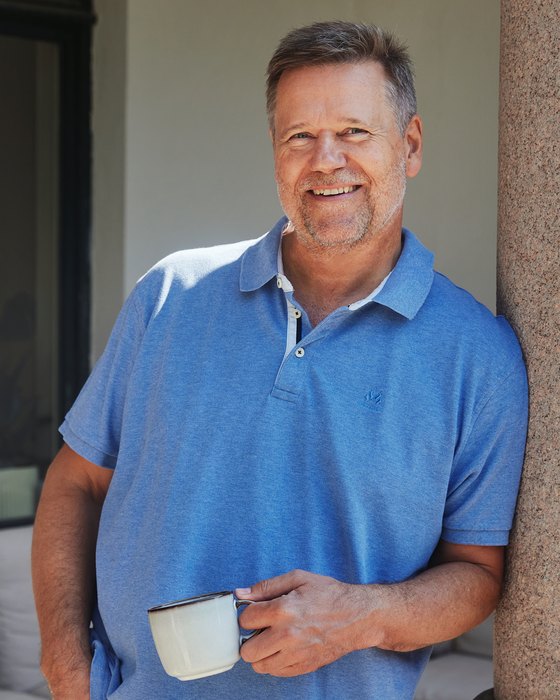
Jarle Leirpoll — video trainer, author, and the person your post production department calls when the pipeline is the problem.
About
About Jarle
I spent 14 years at NRK as a cameraman and editor before starting my own company in 1996, and I have been teaching editing ever since. Somewhere in there I wrote The Cool Stuff in Premiere Pro — the things the manual leaves out — plus the Best Practices Guide for Adobe Premiere Pro and Making MOGRTs, and I have been technical editor on nine editions of Adobe Premiere Classroom in a Book.
Teaching is not the only thing I do, and that matters for what happens in the room. I directed the documentary De flyr for livet among others, and have edited dozens more — Nordens Gribber and Flommen among them. I also make corporate films for Norwegian companies and organizations. I build motion graphics templates for clients around the world. And I work as a post production workflow coach — the person a department calls when the pipeline is the problem rather than any one editor. The examples in the courses come out of those jobs, not out of a curriculum.
I also wrote the long, unglamorous deep-dives for Frame.io: bitrates and export myths, proxies, Productions, color correction, why your graphics rescale themselves. Those articles exist because those are the things that actually go wrong in production, and because writing them forced me to check whether what I was teaching was still true.
I have taught people at NRK, TV 2, SVT, DR, TV4, the BBC, Disney Channel and Warner Bros., and at Adobe itself. That last one reads like a boast, so here is the truth: most of the courses I run are beginner courses, for people who have never opened the program — and those are the ones I like best.
- Based inOslo, Norway. I travel worldwide.
- Teaching since1996, full-time. 14 years at NRK before that.
- Also doesDocumentaries for Norwegian broadcasters · corporate films · motion graphics templates for clients worldwide · post production workflow coaching
- CertificationsCertified trainer for Adobe Premiere and After Effects
- BooksThe Cool Stuff in Premiere Pro · Best Practices Guide for Adobe Premiere Pro · Making MOGRTs · technical editor, nine editions of Adobe Premiere Classroom in a Book
- WroteDeep-dive articles at Frame.io
- LanguagesCourses in Norwegian or English
Questions
Frequently asked
How long is an in-house course?
Two days is the normal length for a full course. A single focused topic — AI editing, accessibility, audio — works as one day. If the group is starting from zero, or you want a beginner and an advanced track in the same week, three or four days is more realistic. I will tell you which one your brief actually needs.
How many people can join?
Twelve at most. Above that it becomes a lecture rather than a course — I cannot get around to everyone, and looking over a shoulder is exactly what makes it stick. If you are more, we run two groups rather than squeezing everyone into one.
Can the course run online?
Every course except four. Teams, Zoom and Google Meet work fine, and everyone still works hands-on in their own copy of the software. The four exceptions are the camera course, the lighting course, the smartphone course and the storytelling course — those need us in the same room, because you cannot hand someone a microphone, move a light, fix their framing or watch a group pitch a story through a screen.
What does it cost?
Price on request. It depends on the number of days, the size of the group and how far I have to travel, so a fixed number on a web page would be wrong for most of you. Tell me what you need and you get a written plan with a price.
Do we need to buy the software first?
No. A free 7-day Adobe trial is enough to get through the course. You do need one machine per participant — sharing a screen means only one person learns.
Which language do you teach in?
Norwegian or English, whichever suits the room. Course material and handouts are available in both.
Do you still do production work yourself?
Yes, and that is deliberate. I take on editing jobs, now and then make clips for my own social media channels, build motion graphics templates for clients around the world, and coach post production workflow for departments where the pipeline is the bottleneck. A trainer who stopped producing five years ago is teaching you a five-year-old workflow, and in this field that is a long time.
Do you teach camera and sound equipment, or only software?
Both. Cameras, lenses, microphones, recorders, stabilizers and lighting are covered in their own courses — and they sometimes turn up inside the editing courses too, because what looks like an editing problem often started on location. Bring your own equipment and we use that, whatever the brand and however old it is. The techniques do not change much between camera models; the menus do, and menus can be learned.
Do we use our own footage?
Yes, and it makes the course better. You get professional footage from me for the exercises, but working on your own material means the questions get specific: your codecs, your delivery specs, your graphics package, your archive mess.
Can you combine topics from several courses?
That is what most customers do. A course made of Premiere workflow, color and the graphics package is a perfectly normal request, and it is usually a better fit than any single course on the list.
Which version of Premiere do you teach?
Whichever one you are running. Adobe dropped the "Pro" from the name a while back, so if people on your team still use the old one, it is the same program. The courses follow the version on your machines — including the AI features that arrived in the last couple of releases, which are the ones most teams have not adopted yet.
Contact
Tell me what your team needs
A couple of sentences about what goes wrong is enough. You get a written plan and a price back.
Or just email me
If the form feels too limiting, write a normal email. It reaches the same place.
Phone: +47 907 63 363
Looking for a fixed date for one person instead? See the open courses at Qross and IJ.