
All courses / Motion graphics in After Effects
The campaign that took far too long, and the edge on the green screen shot that will not go away
You know After Effects. The problem is no longer where the buttons are. It is why your key has an edge while the finest strands of hair have gone missing anyway, why the thing you tracked in has drifted by frame 40, and why the shot feels fake even though every element is technically correct.
And then there is the other half of the job: the campaign that has to go out in twelve versions, where you rebuild the same animation for every format and every line of text.
Two days on compositing and motion graphics. Green screen keys built in layers, tracking that holds, and elements that sit naturally in the scene. We also go into time-saving motion graphics methods and workflow — where the single biggest project on the course is a social campaign built with Essential Properties, which ends up as a MOGRT your colleagues use in Premiere.
- Length2 days
- FormatOn site or online
- LanguageNorwegian or English
- CategoryMotion graphics in After Effects
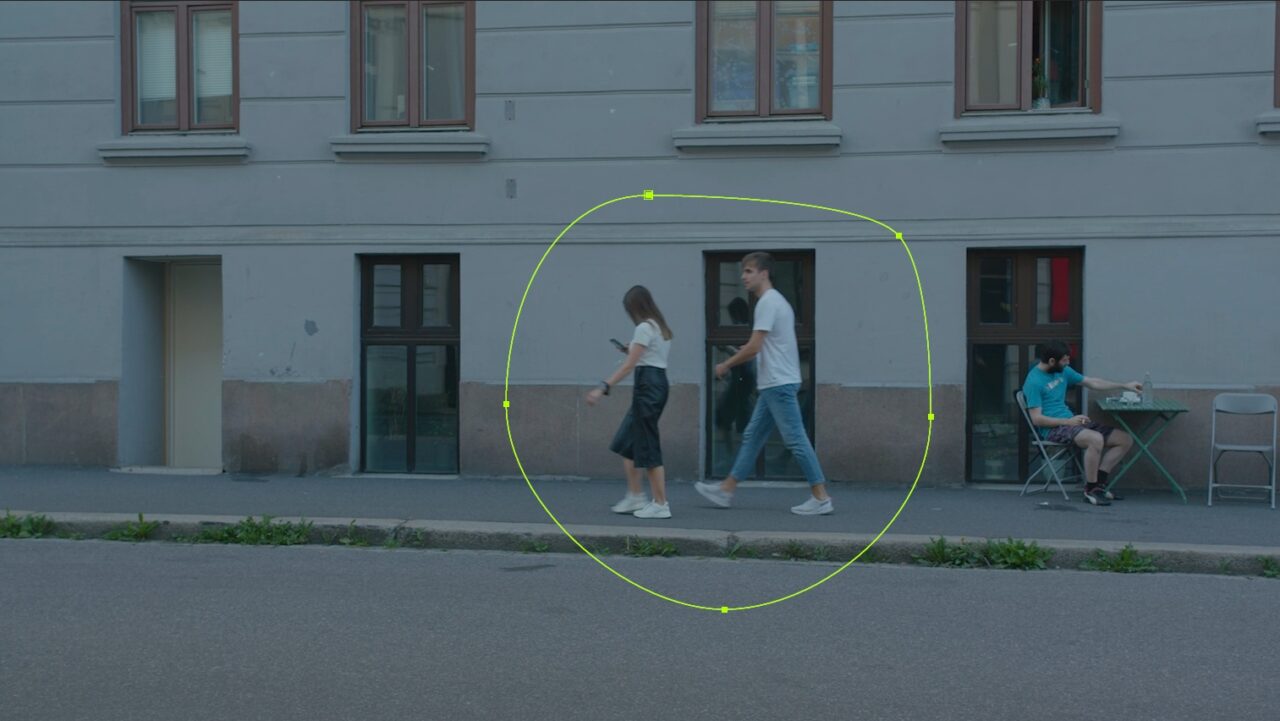
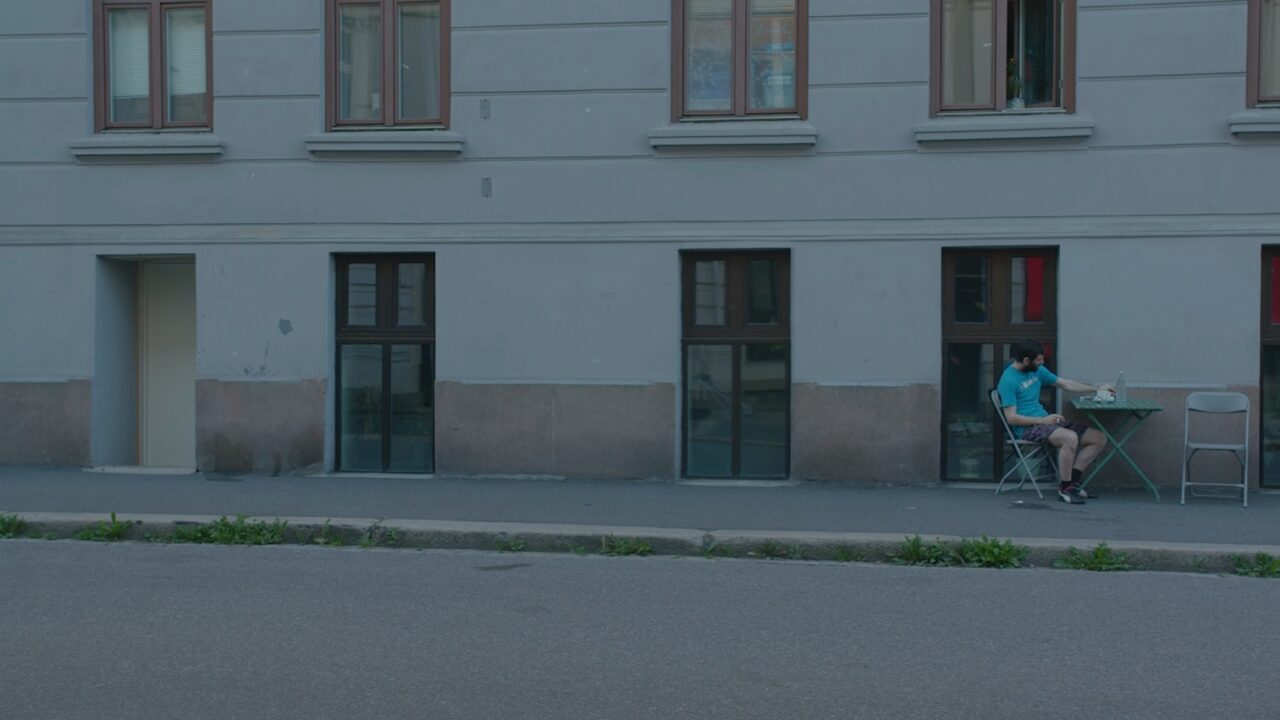 BeforeAfter
Content-Aware Fill removes people from a shot
After the course you can
Adobe After Effects — advanced
- Control the look of your graphics with dropdown menus and sliders, and protect the in and out animation from ham-fisted users
- Build a green screen key in layers, and fix the edges instead of hiding them
- Track motion in 2D and 3D and lock graphics and objects into the scene
- Use Content-Aware Fill, RotoBrush, masks and track mattes on real footage
- Build 3D text and shapes that sit correctly in the light and the perspective
- Deliver a full social campaign minutes after the first comp is finished
From the course
What you will make
What we cover
The program
Project: a social campaign with Essential Properties
- Building one comp that becomes the whole campaign
- Using dropdown menus, checkboxes and sliders to work fast
- Protecting the in and out animation from whoever uses the template
- Using Essential Properties to make a lot of campaign versions very fast
- Making a MOGRT of the comp and sending it to Premiere
Expressions that do the work for you
- Practical expressions for motion graphics — by copy and paste, not by coding
- Linear and ease expressions instead of keyframes
- A hover-over effect, and a working car rig with two keyframes
- Copying properties with a link, so everything updates at once
Getting graphics into After Effects
- Importing complex Illustrator files — logos and illustrations
- Using ready-made templates and presets
- When the job really belongs in Photoshop and not in After Effects
Compositing in practice
- Track mattes and blending modes in combination
- Replacing the sky in a difficult shot
- RotoBrush 3.0 and Refine Edge: putting text behind people and objects
- Content-Aware Fill: removing people and objects automatically
- 32-bit versus 8-bit, and when it actually matters
Tracking
- 2D tracking and null objects — the speech bubble that follows along in the frame
- 3D camera tracking, and putting text into a video shot
- What you do when the track fails, which it will
3D in After Effects
- Fake 3D rack focus, from the foreground image to the background image
- Camera shake that brings a scene to life
- Camera moves in stills — 2.5D from a flat image
- 3D extrusion of text and shapes
- Lights, shadows, cameras and camera moves
Green screen and keying
- The Keylight preset, the head mask, and putting all the layers together
- Edge matte and core matte as separate steps
- Edge blur, light wrap, and different key settings in different parts of the frame
- ETLAT — Edit This, Look At That
- Working with the green screen footage you actually have, not the ideal kind
The honest bit
Compositing is the discipline where the last ten percent takes half the time, and no course changes that. What two days can do is stop you spending that half on the wrong ten percent — which is what happens when the edge treatment is wrong and you keep adjusting the key.
Who it is for
Editors, graphic designers and motion designers who already use After Effects, and who need to deliver compositing that survives being looked at closely — and build motion graphics and campaigns fast.
Prerequisites
Knowledge equivalent to the After Effects beginners' course, or real practical experience. A couple of gigabytes free for the footage you are given.
Bring
Bring the shot you could not get right. A key that would not hold, a track that drifted, a scene that never looked right. And a social campaign that took far too long to finish.
Open courses
Prefer a fixed date for one person?
Also runs as an open course at Qross Kurssenter — classroom in Oslo and live online on the same dates.
Questions
About this course
Is this a compositing course or a motion graphics course?
Both, and deliberately so. The two halves use a lot of the same techniques, and most people who work in After Effects daily have to do both.
Do we need a proper green screen?
No, and the course deliberately works with imperfect footage. Uneven lighting, spill and a background that sits too close to the subject are the normal conditions, and building a key that survives them is the actual skill. It never hurts to have a well-lit scene with an evenly lit background, of course.
Is this about VFX for film?
The techniques are the same ones film uses, but we stay at the scale a communication department or a broadcaster actually works at. If you need a feature-film VFX pipeline, this is not that course — but very few people need that.
How much of the day is AI tools?
They turn up where they earn their place — RotoBrush and Content-Aware Fill do in minutes what used to take an afternoon. They also fail in specific, recognizable ways, and we cover that too, not just the perfect cases. The AI assistant is good at some tasks, and fails at other, fairly basic ones.
Related courses
Related courses
2 daysAdobe After Effects — beginners
After Effects has a reputation for a steep learning curve, and it deserves it.
2 daysAdobe After Effects Expressions
Expressions are code, which sounds worse than it is, because you almost never write it.
1 dayAnimation principles for motion graphics
Everything moves from A to B.
Want this for your team?
Tell me what goes wrong today and you get a written plan and a price back. Two sentences is enough.